Katekile Finance
What the Katekile Finance role sees, can do and approves.
Role name in the system: Katekile Finance
The supplier verification approver in the Supplier workflow: approves suppliers, or marks them Not Compliant or Expired/Discrepancy with a note. This role has no entries in the Katekile sidebar, so it is normally given together with another role (for example Katekile Procurement Team or Katekile Finance Manager). It also has buying-side permissions (Suppliers, Material Requests, RFQs, Supplier Quotations, Purchase Orders, Items, Stock Entries).
Typical tasks
- Approve suppliers that are Pending Verification
- Mark suppliers Not Compliant or Expired/Discrepancy (a note is required)
- Create and edit Suppliers, Purchase Orders, Material Requests, RFQs and Supplier Quotations
Your menu
This is the sidebar a user with only this role sees.
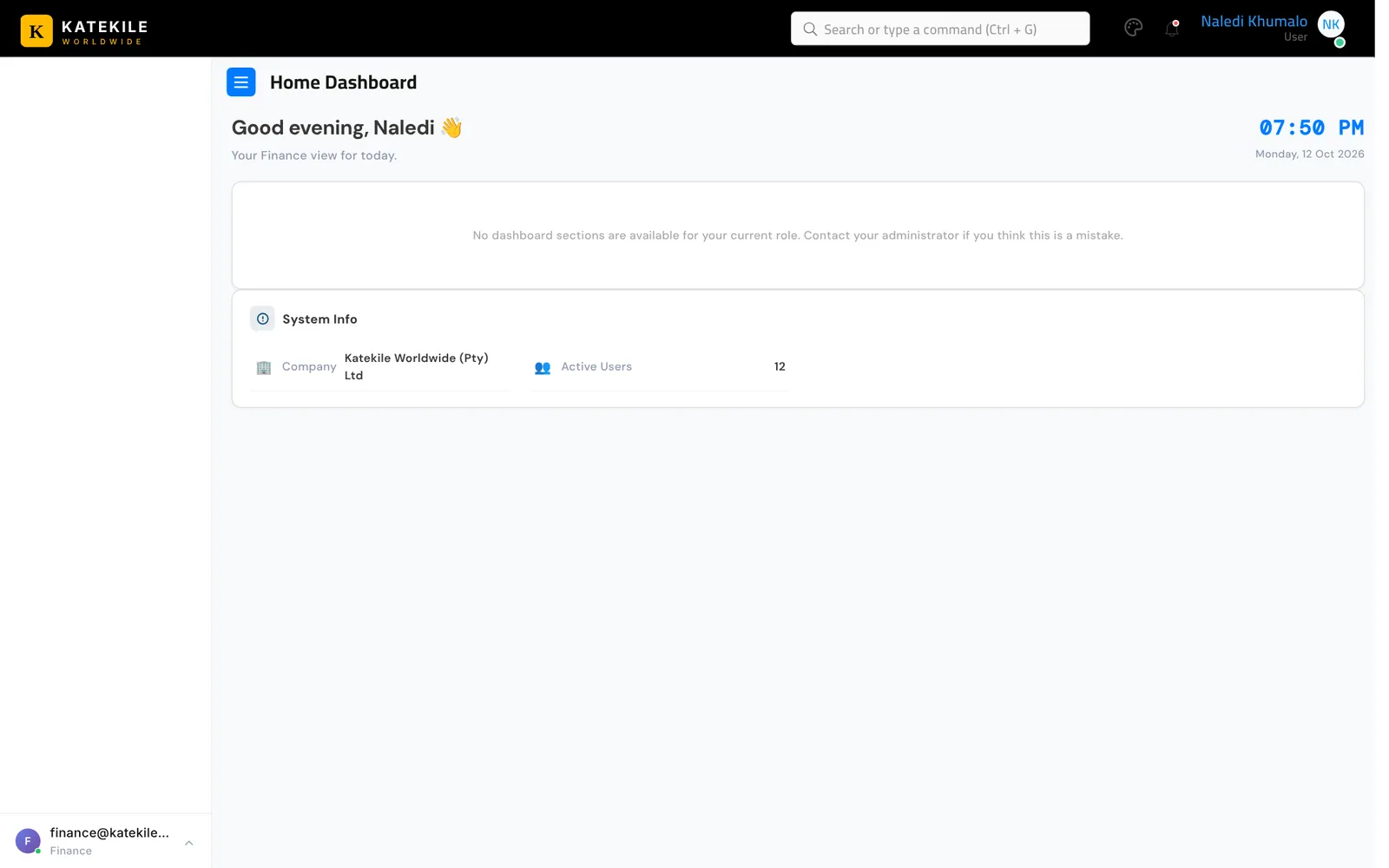
The Katekile sidebar has no entries for this role on its own. Users who only hold this role land on the Home Dashboard with an empty menu and reach screens through search or direct links. Give them a second role with a menu (for example Katekile Procurement Team), or ask a developer to add this role to the sidebar.
What you can do — permissions
| Document | Read | Create | Edit | Submit | Cancel |
|---|---|---|---|---|---|
| Supplier | R | C | W | n/a | n/a |
| Material Request | R | C | W | — | — |
| Request for Quotation | R | C | W | — | — |
| Supplier Quotation | R | C | W | — | — |
| Purchase Order | R | C | W | — | — |
| Purchase Invoice | R | — | — | — | — |
| Item | R | C | W | n/a | n/a |
| Stock Entry | R | C | W | — | — |
Supporting records (7)
| Document | Read | Create | Edit | Submit | Cancel |
|---|---|---|---|---|---|
| Address | R | C | W | n/a | n/a |
| Bin | R | — | — | n/a | n/a |
| Item Group | R | C | W | n/a | n/a |
| Supplier Group | R | C | — | n/a | n/a |
| Theme Settings | R | — | — | n/a | n/a |
| UOM | R | C | W | n/a | n/a |
| Warehouse | R | C | W | n/a | n/a |
n/a — this document type is not submitted; saving it is final.
Approval rights
| Document | From state | Action | To state | Condition |
|---|---|---|---|---|
| Quotation | Draft | Send For Approval | Pending Approval | any user, only the quotation Owner |
| Supplier | Pending Verification | Approve | Approved | |
| Supplier | Pending Verification | Not Compliant | Not Compliant | |
| Supplier | Pending Verification | Expired/ Discrepancy | Expired/ Discrepancy | |
| Customer | Draft | Send For Verification | Pending KYC Verification | any user |
| Customer | Pending KYC Verification | Approve | Approved | any user |
| Customer | Pending KYC Verification | Incomplete Data | Incomplete Data | any user |
| Customer | Incomplete Data | Send For Verification | Pending KYC Verification | any user |
Step-by-step guides for this role
Last updated October 16, 2026