Production User
What the Katekile Production User role sees, can do and approves.
Role name in the system: Katekile Production User
Shop-floor operator. Starts, pauses and completes job-card steps on the Shop Floor app, records good quantities, adds notes, and scans the QR on the printed Manufacturing Order.
Typical tasks
- Open work orders on the Shop Floor app (
/katekile) or by scanning the QR - Start, pause and resume job steps and record finished quantities
- Submit job cards — this needs the standard Manufacturing User role as well as this one
- Add notes to a job card
Your menu
This is the sidebar a user with only this role sees.
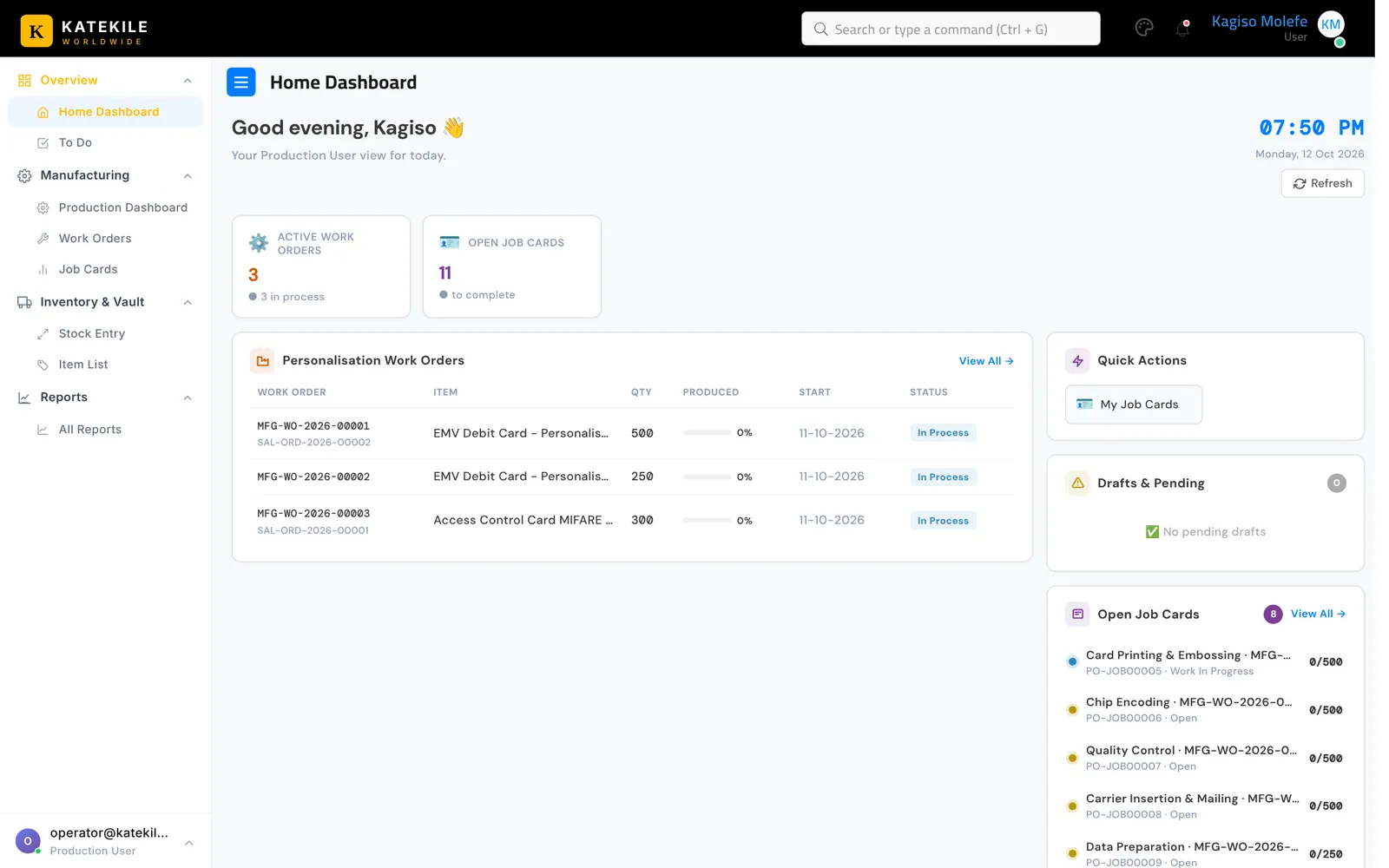
| Menu group | Links you see |
|---|---|
| Overview | , |
| Manufacturing | , , |
| Inventory & Vault | , |
| Reports |
What you can do — permissions
| Document | Read | Create | Edit | Submit | Cancel |
|---|---|---|---|---|---|
| Item | R | — | — | n/a | n/a |
| Work Order | R | — | — | — | — |
| Job Card | R | — | W | — | — |
| BOM | R | — | — | — | — |
| Stock Entry | R | — | — | — | — |
Supporting records (4)
| Document | Read | Create | Edit | Submit | Cancel |
|---|---|---|---|---|---|
| Employee | R | — | — | n/a | n/a |
| Operation | R | — | — | n/a | n/a |
| Theme Settings | R | — | — | n/a | n/a |
| Workstation | R | — | — | n/a | n/a |
n/a — this document type is not submitted; saving it is final.
Approval rights
| Document | From state | Action | To state | Condition |
|---|---|---|---|---|
| Quotation | Draft | Send For Approval | Pending Approval | any user, only the quotation Owner |
| Customer | Draft | Send For Verification | Pending KYC Verification | any user |
| Customer | Pending KYC Verification | Approve | Approved | any user |
| Customer | Pending KYC Verification | Incomplete Data | Incomplete Data | any user |
| Customer | Incomplete Data | Send For Verification | Pending KYC Verification | any user |
Step-by-step guides for this role
Last updated October 16, 2026