Finance Dashboards
Accounting, Accounts Receivable and Accounts Payable dashboards.
Used byFinance MgrFinance User
All three are shown to the Finance Manager and Finance User, with a company selector and This Month / Quarter / Year.
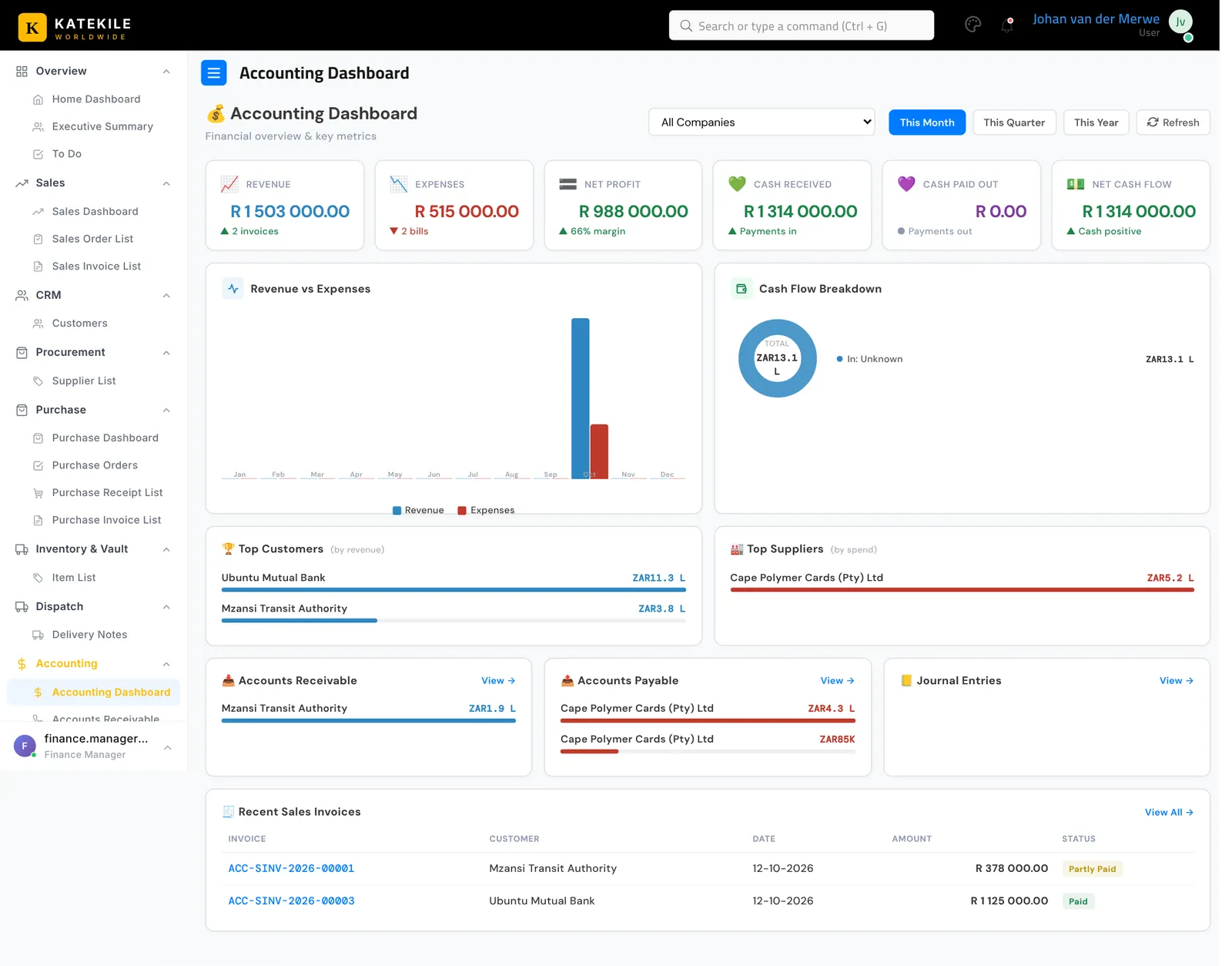
Accounting Dashboard
Accounting → Accounting Dashboard — revenue, expenses, net profit, cash in/out and net cash flow; revenue vs expenses chart; cash-flow breakdown; top customers and suppliers; AR/AP summaries; recent journal entries.
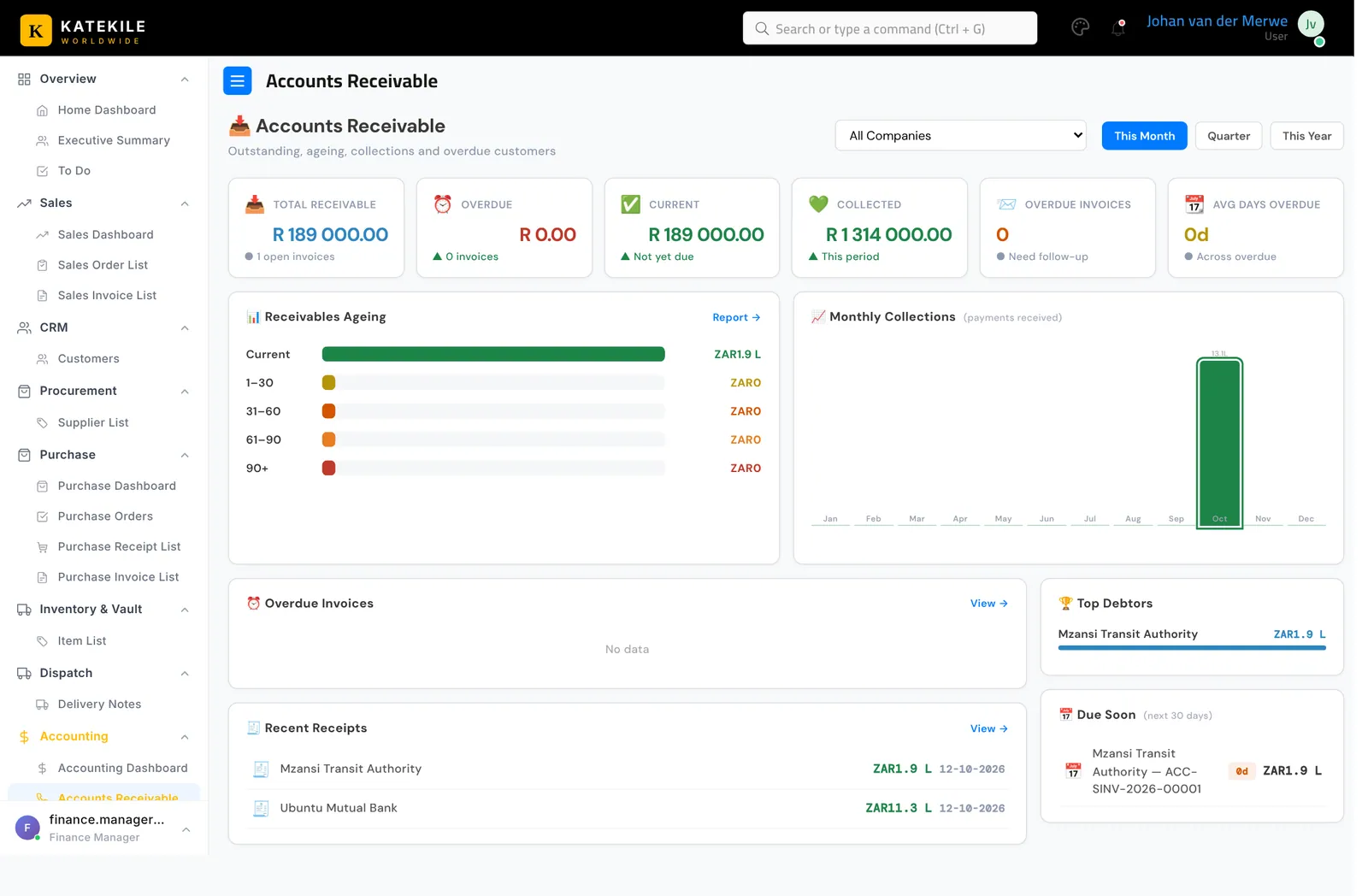
Accounts Receivable
Accounting → Accounts Receivable — total receivable, overdue, current, collected, overdue invoice count and average days overdue; receivables ageing (current, 1–30, 31–60, 61–90, 90+); monthly collections; overdue invoices; top debtors; invoices due in the next 30 days; recent receipts.
Accounts Payable
Accounting → Accounts Payable — what Katekile owes suppliers, ageing, bills due and recent payments.
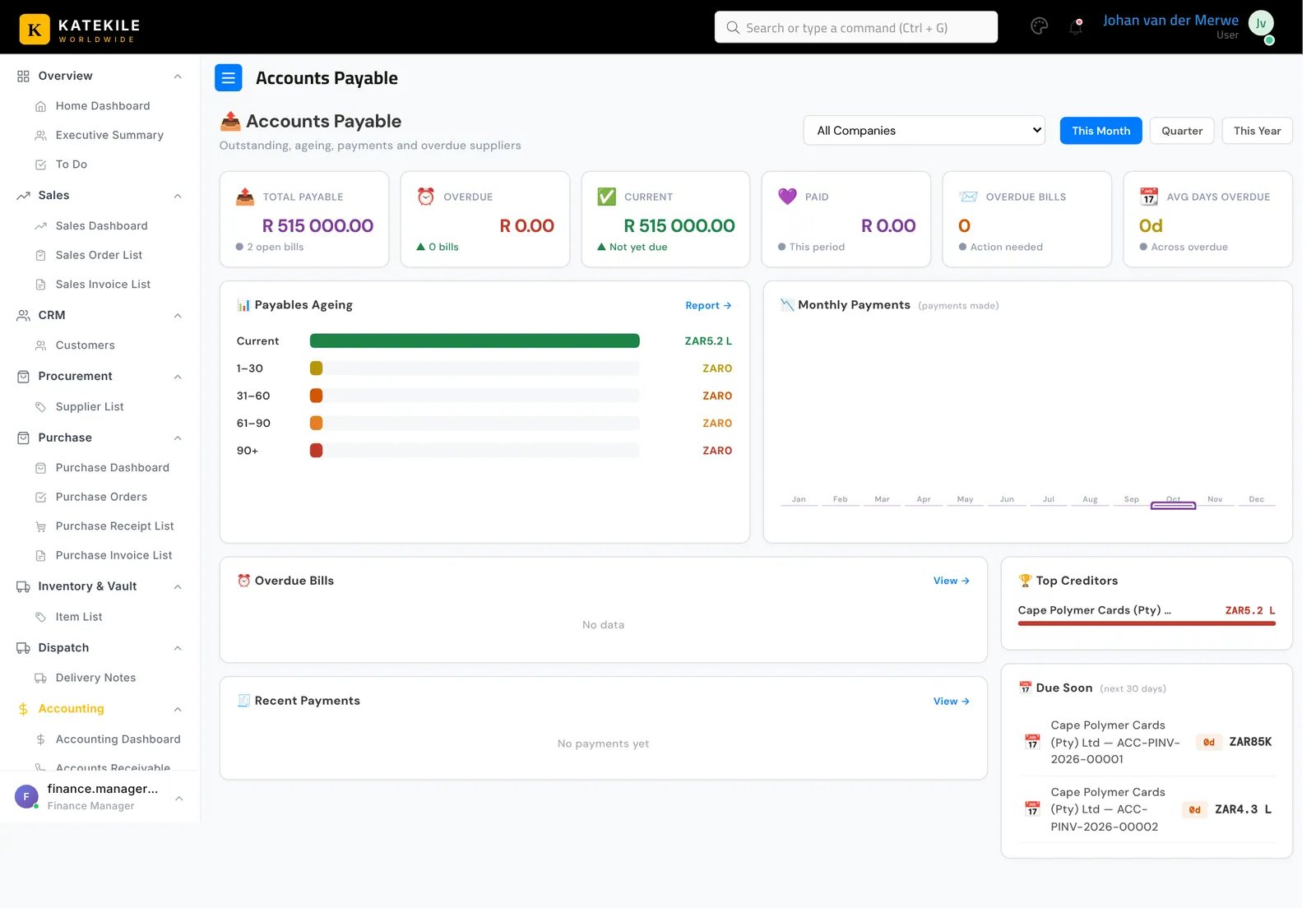
Large amounts on some dashboard tiles are abbreviated with K (thousand), L (lakh = 100 000) and Cr (crore = 10 million). For example ZAR1.9 L means R190 000. Open the underlying report for exact figures.
Last updated October 16, 2026