Opportunities
Track a specific deal — value, probability and expected closing — through to quotation.
Used bySales MgrCSR
An Opportunity is a concrete deal: a customer or lead, the card products, an amount, a probability and an expected closing date.
Who: Katekile Sales Manager, Customer Service Rep. Menu: CRM → Opportunities.
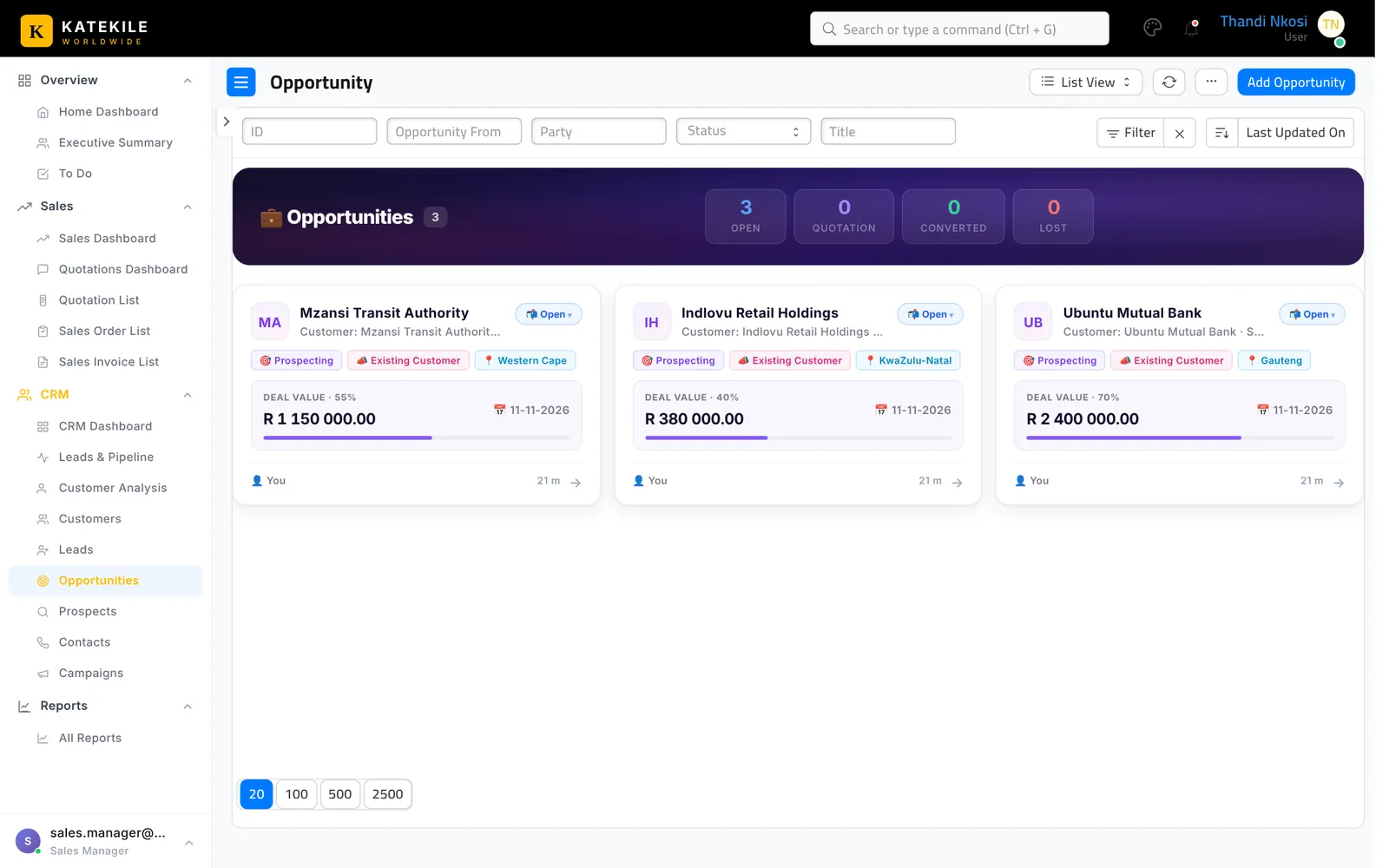
Create an opportunity
- Create → Opportunity from a lead or customer, or CRM → Opportunities → Add Opportunity.
- Set Opportunity From (Lead / Customer / Prospect) and the party.
- Set Opportunity Type, Source, Expected Closing Date, Probability (%) and Opportunity Amount.
- On the Items tab add the card products with quantity and rate.
- Set the Opportunity Owner and save.
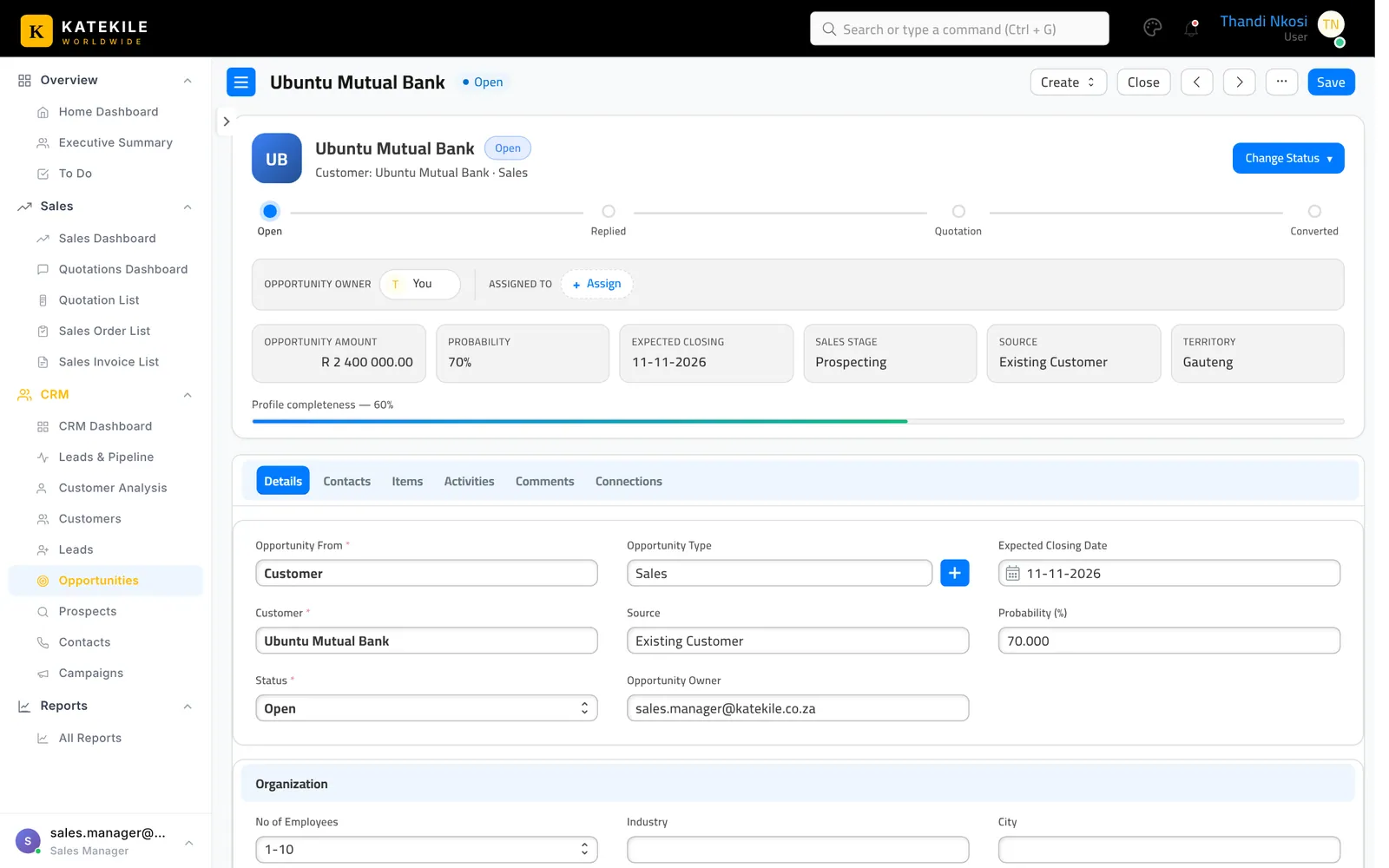
Moving the deal forward
- Use Change Status for Open, Replied, Quotation, Lost, Closed. Choosing Lost asks for the lost reason.
- When you are ready to price it, use Create → Quotation — the items carry across. Then follow Quotations & Approval.
Last updated October 16, 2026