Job Cards
The Katekile ERP job cards behind each shop-floor step.
Used byProd. MgrOperatorWhse Mgr
Each operation in a Work Order has a Job Card. Operators normally use the Shop Floor app; the desk view is for supervisors and corrections.
Who: Production Manager and Production User update (submitting a job card needs the standard Manufacturing User role); Warehouse Manager reads. Menu: Manufacturing → Job Cards.
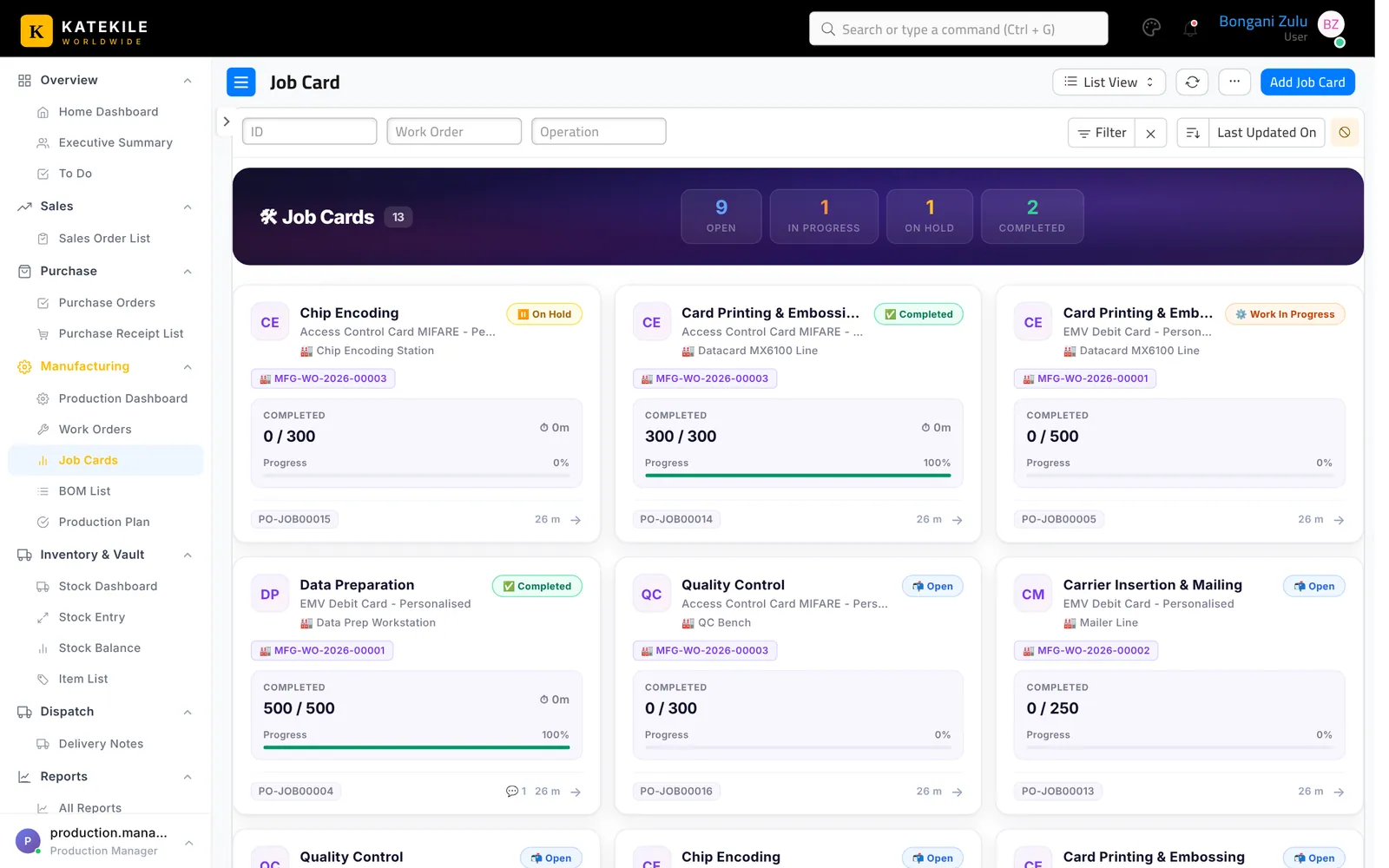
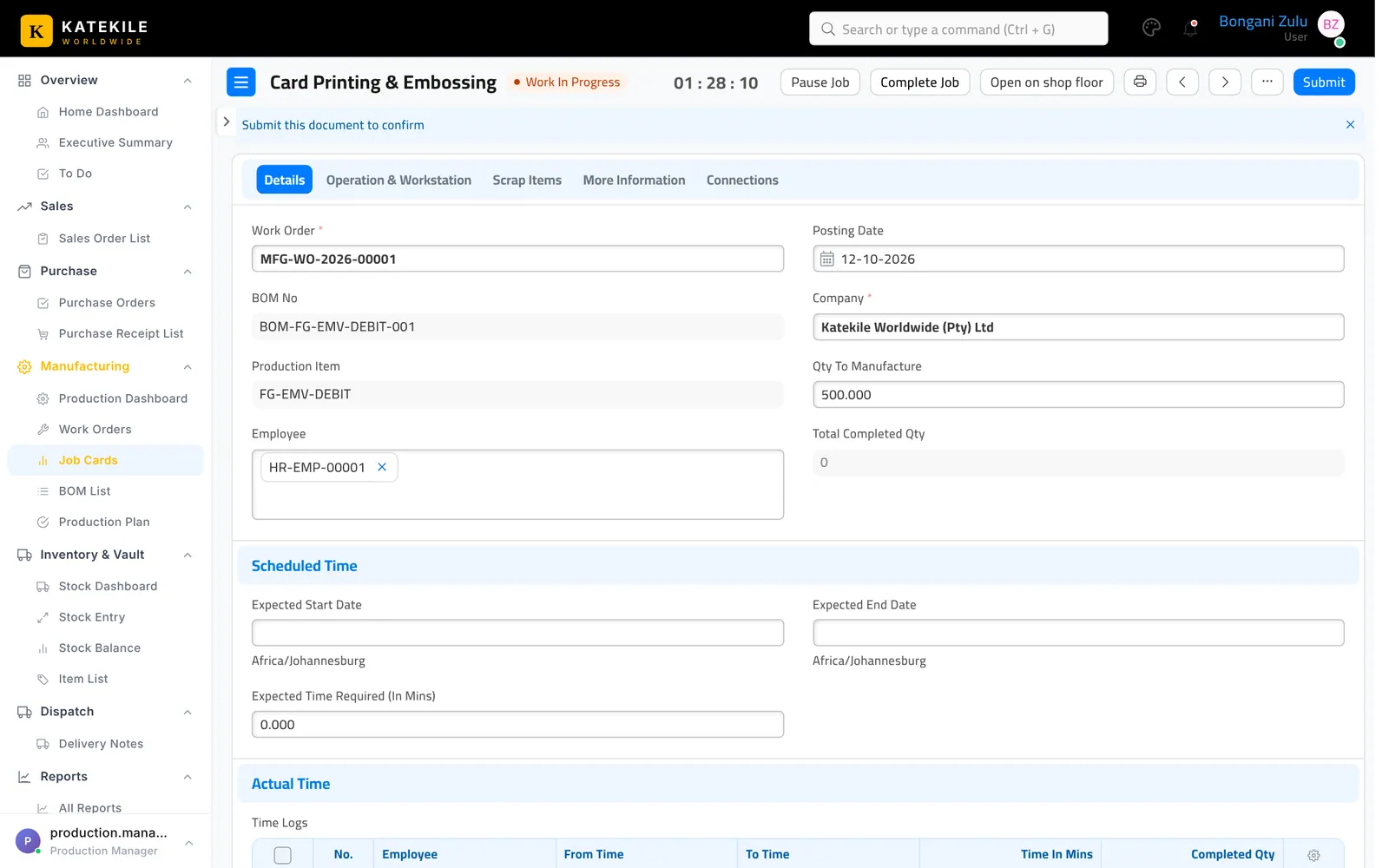
Job cards show the work order, operation, workstation, quantity, time logs (operator, from/to, completed quantity) and status. The Open on shop floor button opens the same job in the Shop Floor app.
Last updated October 16, 2026