Items
Create and maintain card products, chips, consumables and services.
Used byTech Cons.ProcurementWhse User
Who: Technical Consultant, Procurement Team, Warehouse User, Sales Manager, Customer Service Rep and Katekile Finance can create and edit items; most other roles read. Menu: Inventory & Vault → Item List.
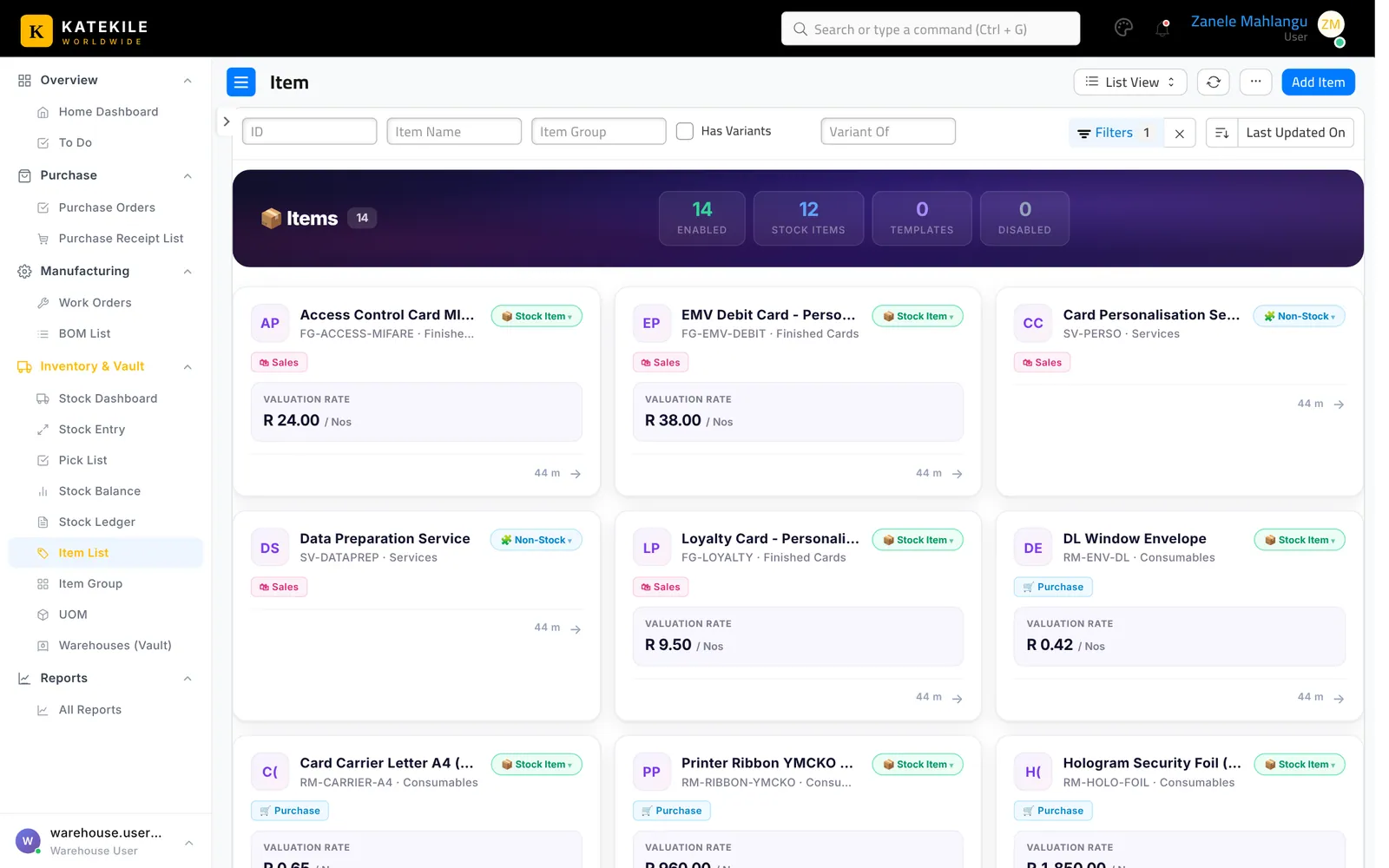
Create an item
- Add Item.
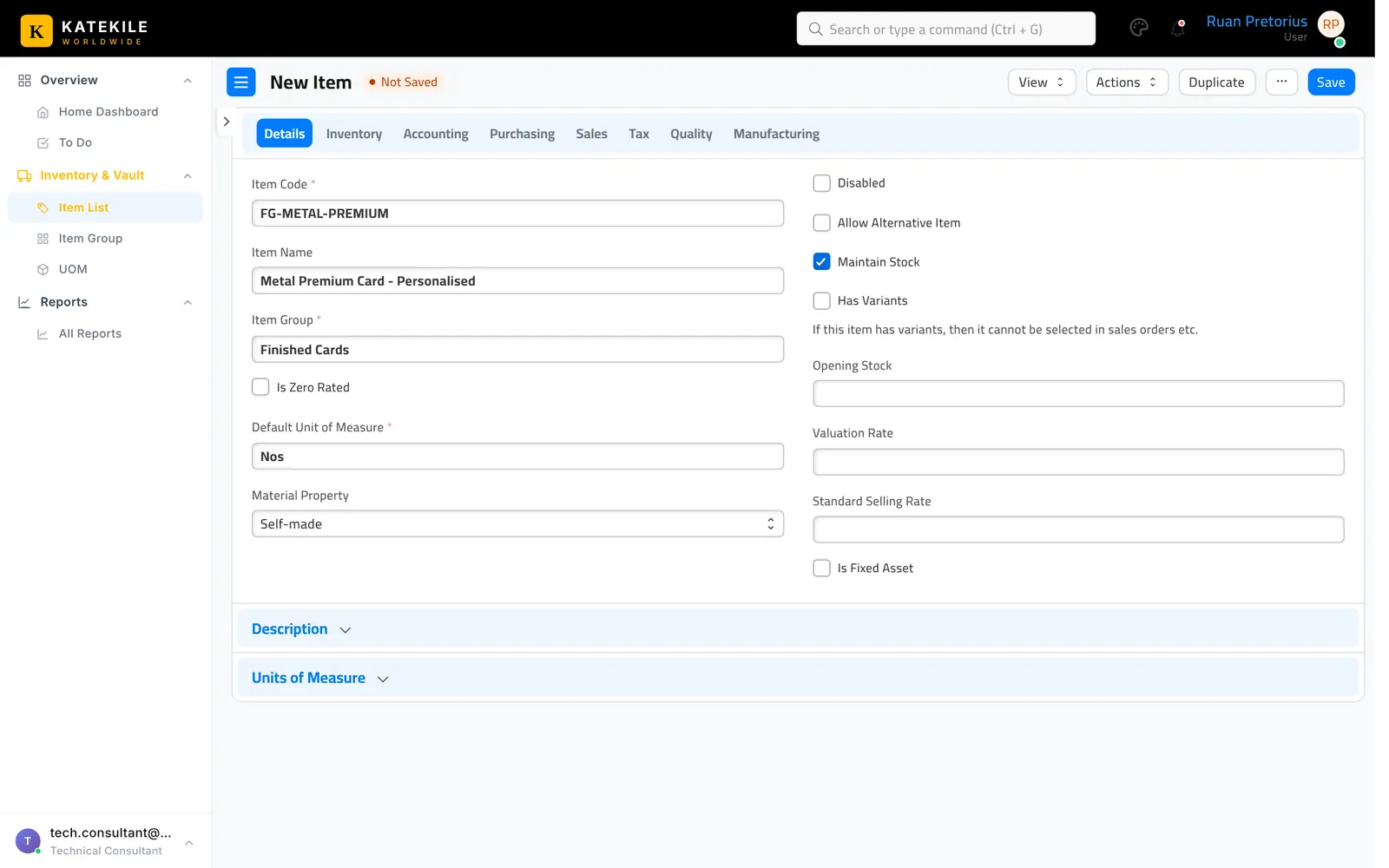
- Item Code is mandatory and is the item’s ID — use a clear convention, e.g.
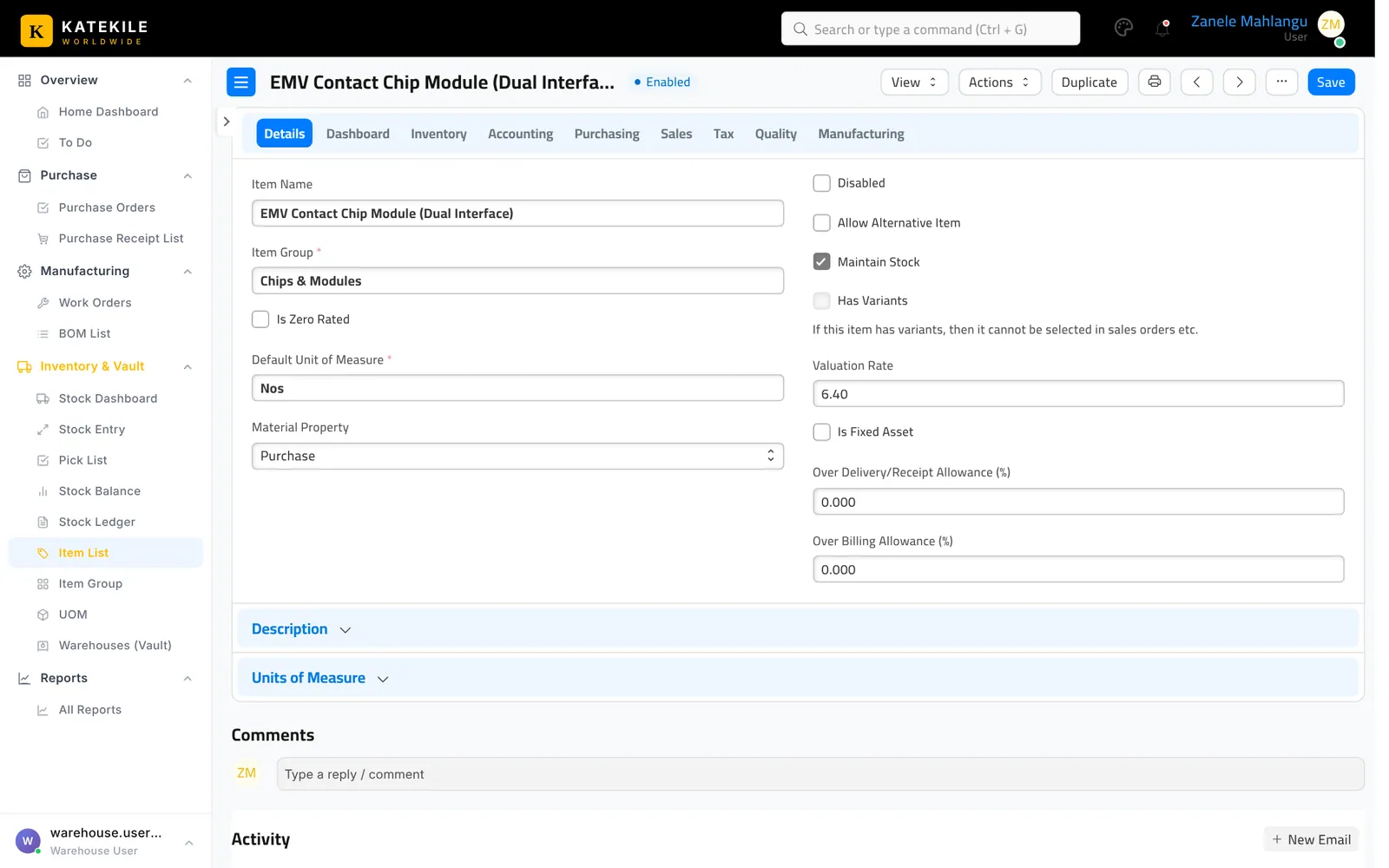
RM-CHIP-EMV,FG-EMV-DEBIT,SV-PERSO. - Item Name, Item Group (Card Bodies, Chips & Modules, Consumables, Finished Cards, Services) and Default Unit of Measure.
- Tick Maintain Stock for physical stock.
- Katekile fields: – Material Property — Self-made (personalised in-house) or Purchase (bought in). – Is Zero Rated — for zero-rated VAT items.
- Barcodes can be added on the item (barcode scanning is enabled on quotations, orders, receipts and invoices).
- Save.
Last updated October 16, 2026